


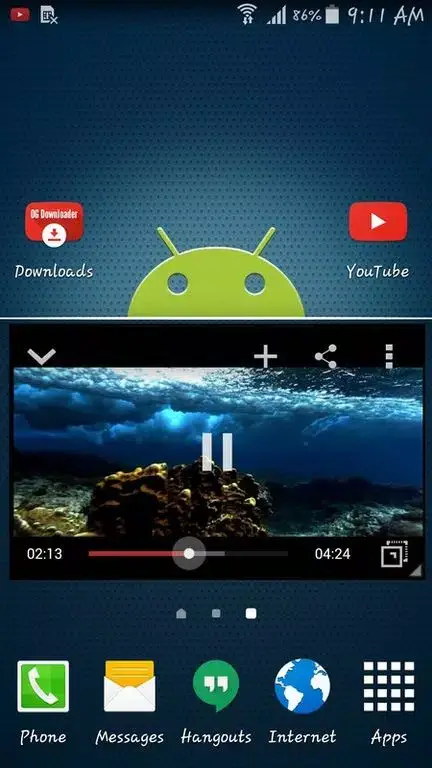
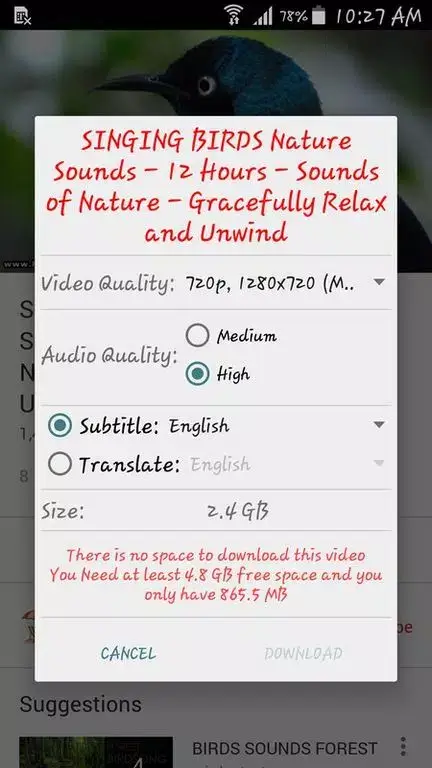
OG Youtube Mod is a modified YouTube client designed for users who require offline access to video and audio content. It functions as a standalone application, replicating the core YouTube interface while adding download capabilities and playback features typically restricted or monetized in the official app. The target user is someone who needs to save content for offline viewing, prefers background audio playback without a YouTube Premium subscription, or wants a floating window player.
What This Mod Unlocks
- Video and audio download functionality integrated directly into the player interface.
- Background playback enabled, allowing audio to continue when the app is minimized or the screen is off.
- Picture-in-Picture (PiP) mode for floating window video playback over other apps.
- Advertisements present in the official YouTube app are removed.
- Access to select video resolution and format options (e.g., MP4, MP3) during download.
- Swipe controls for brightness and volume adjustment within the video player.
The download feature is the primary modded component. In the official YouTube app, downloading videos for offline access is a server-side, DRM-protected feature available only to YouTube Premium subscribers in specific regions. OG Youtube Mod bypasses this by intercepting the video stream and saving it directly to local device storage.
Activation Note
The mod features are integrated directly into the OG Youtube Mod interface. No separate mod menu exists. To download a video, play it within the app and tap the download button that appears below the video player. This action opens the resolution and format selection menu.
Background playback and PiP mode are enabled by default. Background playback activates automatically when you minimize the app or turn off the screen while a video is playing. PiP mode triggers when you press the home button while a video is playing in fullscreen.
Requirements
OG Youtube Mod requires Android 4.1 or higher. Root access is not required. The APK file size is approximately 45 MB. Installation will require additional storage for downloaded video files.
Install Steps
- Download the OG Youtube Mod APK file.
- Enable "Install from Unknown Sources" in your Android device's security settings.
- Open the downloaded APK file using a file manager and confirm the installation prompt.
- Launch OG Youtube Mod from your app drawer. Log in with a Google account if desired, though this may limit download functionality.
Known Edge Cases
Using a logged-in Google account within OG Youtube Mod may cause the download button to disappear or fail, as YouTube's servers can detect and block download attempts from authenticated sessions. For consistent downloading, use the app without logging in. Downloaded video quality is limited to what is made available by YouTube's servers for standard streaming; very high resolutions like 4K may not be accessible. The app is based on an older version of the YouTube codebase, so it may lack newer UI features or API support found in the current official app. Clearing the app data will remove all downloaded files stored within the app's private directory.